
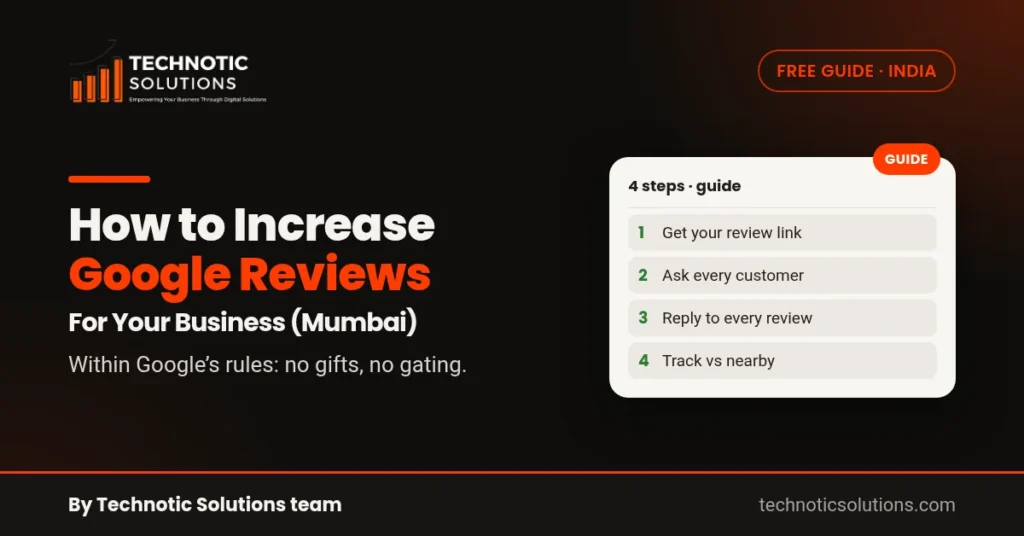
Short answer: The way to increase Google reviews for your business is simple, but it takes a habit. Get your review link and QR code from your Google Business Profile, ask every real customer soon after you serve them, make leaving a review take one tap, and reply to the reviews you get. Never pay for reviews, never offer a discount or gift in return, and never ask only your happy customers. Google treats all of those as fake engagement and can remove the reviews.
Want to know where you stand first? The free Review Booster scan shows your Google rating, total reviews and how fast new reviews come in, next to about 3 nearby businesses. It takes about 10 seconds and needs no login.
Why Google reviews matter for a Mumbai business
When someone in Andheri searches for “dentist near me” or someone in Thane looks for “CA near me”, your Business Profile appears with your rating and your reviews beside it. Google’s own help page on getting more reviews says reviews “show next to your Business Profile in Maps and Search” and help potential customers decide.
Reviews also feed into how Google ranks local results. Google’s guide to local ranking says local results are mainly based on relevance, distance and prominence, and that prominence is partly based on how many reviews you have. In Google’s words, “more reviews and positive ratings can help your business’s local ranking.” Google is also clear that there’s no way to request or pay for a better local ranking, so reviews are something you earn over time.
What Google allows, and what it doesn’t
Before you start asking, know the rules. They come from Google’s prohibited and restricted content policy for Maps.
You can:
- Ask customers to review you, as long as the review reflects a genuine experience.
- Share a direct review link or a QR code.
- Ask every customer in the same way, whether they were delighted or not.
You can’t:
- Offer an incentive, such as payment, a discount or a free service, for posting, changing or removing a review.
- Ask only the customers you expect to be happy. Google calls this selectively soliciting positive reviews; it’s often called review gating.
- Discourage or block negative reviews.
- Pressure customers to review you while they are still at your shop or clinic, or ask them to include specific words.
- Set your staff a target number of reviews, or ask for reviews that name a staff member.
- Post reviews from people with a conflict of interest, such as employees, family or competitors.
Google also says it removes content that shows “unusual volumes or patterns” of reviews that suggest an attempt to manipulate a rating. So a sudden burst of reviews in one evening can do more harm than good. A steady flow from real customers is what you want.
Step 1: Get your review link and QR code
Google gives every Business Profile a direct link that opens the review form for your business. Its help page on creating a review link or QR code lists these steps:
- On a computer, go to your Business Profile. Google says review QR codes can currently be made only on a computer browser, not on a phone.
- Select Read reviews, then Get more reviews.
- To copy the link, select Copy. To save the QR code, right-click it and choose Save image as.
Test the link once in a private browser window to check it opens the right business. If you have more than one branch, say one in Goregaon and one in Malad, each branch has its own profile and its own link.
If your profile isn’t set up yet, start with our guide on how to set up a Google Business Profile in Mumbai.
Step 2: Ask every customer, at the right moment
The best time to ask is soon after the customer has had a good look at your work: just after the appointment, the delivery or the final bill. Google’s help page suggests a few places to put the link:
- On your receipts and invoices.
- In your thank-you email.
- At the end of a chat with the customer.
- As a printed QR code in your shop or reception.
Google also notes you can send review requests by email, a messaging app or a social post. Here’s how that can look for different Mumbai businesses:
- A dental clinic in Andheri East: the front desk sends the review link in the appointment follow-up message the same evening.
- A salon in Bandra: a small QR card sits at the billing counter, and the link goes out with the digital bill.
- A CA or tax firm in Thane: the link goes in the email that confirms the return has been filed.
- A restaurant in Powai: the QR code is printed on the bill folder, not pushed on guests while they’re still eating.
- An interior designer in Navi Mumbai: the link goes out with the handover photos after the project is finished.
Keep the message short and neutral. For example: “Thank you for choosing us. If you have a minute, we’d value your honest review on Google: [link].” Send the same message to everyone. Don’t say “if you were happy” or “only if you liked us”, because that is selective asking.
Step 3: Make it take one tap
Every extra step loses people. A few things help:
- Send the direct link, not your website address or a Maps search. The link opens the review form straight away.
- Mention the Google Account. Google says customers must be signed in to a Google Account to leave a review, and they can create one with a non-Gmail email address. Some customers will stop at the sign-in screen; that’s normal, so don’t try to work around it.
- Use the customer’s language. If most of your customers are more comfortable in Hindi or Marathi, write the request in that language. The review itself can be in any language.
- Ask once, maybe remind once. One polite reminder a few days later is fine. More than that starts to feel like pressure.
Step 4: Reply to the reviews you get
Replies are public, and they show future customers how you treat people. Google’s review tips suggest you:
- Keep replies short, polite and specific, not the same “thank you” for everyone.
- Stay conversational, not promotional. Don’t use replies to push offers.
- For a negative review, apologise where it’s right, explain honestly what you can and can’t do, and ask the customer to contact you privately to sort it out.
- Never share a reviewer’s private details, such as their treatment, order or phone number.
- Reply in good time.
If you believe a review breaks Google’s content policies, for example it’s from someone who was never a customer, you can flag it. Don’t argue in public.
Google’s local ranking guide also lists responding to reviews as a way to stand out, and says replies show customers you value their feedback.
Step 5: Track how you compare with nearby businesses
Reviews only make sense in context. Ten reviews is a lot for a new physiotherapy clinic in Borivali if the nearby clinics have eight each. It’s very few if they have hundreds.
Check three numbers every month:
- Your total reviews compared with the businesses that show up near you.
- How many new reviews you get each month. A steady flow matters more than one good month.
- Your average rating and whether recent reviews are better or worse than older ones.
Our free GBP Checker also scores how complete your profile is, because a strong review count on a half-filled profile still leaves gaps customers notice.
Mistakes that can get reviews removed
These are common mistakes, and every one of them goes against Google’s policy above:
- Giving a discount on the next visit “for a 5-star review”.
- Running a contest where entry requires a review.
- Asking staff or family to post reviews.
- Sending the review link only to customers who said they were happy in a feedback form.
- Buying reviews from a seller online.
- Asking customers to mention a staff name or a keyword in the review.
Removed reviews are the mild outcome. Google’s policy says it removes manipulated content, and Business Profile restrictions can apply for policy violations.
A simple weekly review routine
You don’t need a big system. Ten minutes a week is enough for most small businesses:
- Monday: check that every customer from last week got the review link.
- Midweek: reply to every new review, good or bad.
- Friday: note how many new reviews came in this week, and look at any one-star or two-star review to see what you can fix in the business itself.
Need help getting more reviews?
Start with the free Review Booster scan to see your rating, total reviews and monthly pace next to nearby businesses. You can also try all our free tools, including the GBP Checker and the AI Visibility Checker.
If you’d rather have our team run review requests and replies for you, within Google’s rules, book a free consultation and tell us about your business.
FAQ
How many Google reviews does my business need?
There’s no fixed number. Google says more reviews and positive ratings can help local ranking, but what customers notice is how you compare with the businesses shown next to you. Check your total and your monthly pace against nearby businesses, and aim for a steady flow of new reviews.
Can my staff or family leave reviews for my business?
No. Google’s Maps policy treats reviews based on a conflict of interest, such as from current or former employees or family members, as rating manipulation, and those reviews can be removed. Only real customers should review you.
Can I ask customers to mention a keyword in their review?
No. Google says businesses should not ask for specific content in a review, including the name of a staff member. Ask for an honest review and let customers write it in their own words.
Why did some of my Google reviews disappear?
Google removes reviews that break its Maps content policy, for example reviews that look incentivised, come from people with a conflict of interest, or arrive in unusual volumes or patterns. Make sure every review request you send follows those rules.
Google pe review kaise badhaye?
Apne Google Business Profile se review link ya QR code lijiye, aur har customer ko service ke baad wahi link bhejiye. Review ke badle discount ya gift mat dijiye, aur sirf khush customers se mat poochiye, kyunki Google isse allow nahi karta. Har review ka jawab dijiye.
By the Technotic Solutions team, a Mumbai digital marketing agency. 350+ clients since 2017.