
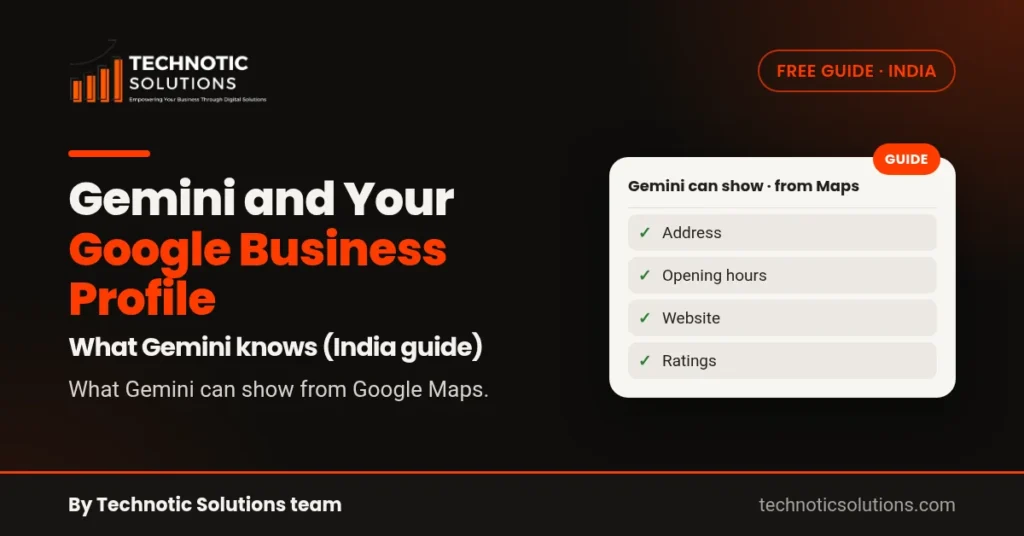
Short answer: Google’s Gemini Apps Help says Gemini uses public information from Google Maps to help people find places and get their addresses, descriptions, websites, ratings and opening hours. Your Google Business Profile is how you manage the way your business shows up on Maps. So for Gemini and Google Business Profile, the practical point is simple: if your profile is complete and accurate, the Maps information Gemini can draw on is complete and accurate too. There’s no separate Gemini listing to sign up for.
Want to see where you stand first? Run the free AI Visibility Checker. It asks ChatGPT (live web search) and Gemini (AI knowledge, no live search) 5 real customer questions and shows who they name.
Does Gemini use Google Business Profile?
Here is what Google actually says, in its own words.
The Gemini Apps Help page on finding places and getting directions says: “Gemini uses public information from Google Maps to help you” find places such as businesses, stores, restaurants, parks and attractions, and “get addresses, descriptions, websites, ratings, and opening hours for a place”.
Google’s Business Profile help says that with a Business Profile you can “manage how your business shows up on Maps and Search at no charge”, including your hours, website, phone number and location.
Notice the wording. Google’s Gemini help talks about “public information from Google Maps”. It doesn’t say “Gemini reads your Business Profile”, and we won’t claim more than Google does. But the details customers see about your business on Maps are the ones you manage through your profile. That is the link between Gemini and your Google Business Profile.
Does Gemini use Google Maps?
Yes, in specific ways that Google documents:
- In the Gemini app: Google’s help on Connected Apps in Gemini lists Google Maps among the Google services Gemini automatically uses public information from. To use public information from Google Maps, Keep Activity must be on, and the places feature needs you to be signed in.
- Inside Google Maps: the Maps Help page on using Gemini while you navigate says you can ask about places along your route or near your destination, and ask questions like when a place closes.
- For developers: the Gemini API has a tool called Grounding with Google Maps. When an app turns it on, the service queries Google Maps for information such as places, reviews, photos, addresses and opening hours, and the answer links back to Google Maps sources. Google’s docs note the tool may not be available in all regions.
So whether a particular Gemini answer uses Maps depends on where and how Gemini is being used. Not every Gemini answer about your business comes from Maps.
What Gemini can show about a business
From the Gemini Apps Help page, when Gemini uses Google Maps it can help someone:
- find businesses and other places
- get a place’s address, description, website, ratings and opening hours
- get directions to it
When available, the place’s details page in Gemini lets people read reviews, browse photos and videos, and get an AI summary of the place, with an option to open it in Google Maps.
The same page lists what Gemini can’t do with Maps, and one item matters for business owners: Gemini can’t add a review to a place. Reviews still come from customers on Google Maps and Search.
Two ways Gemini can talk about your business
It helps to separate two situations.
- Gemini using public Google Maps information, as described above. Here, what your profile says today is what counts: your hours, category, address, website and description.
- Gemini answering from what the model already knows. This is what our AI Visibility Checker asks: Gemini (AI knowledge, no live search). It doesn’t search the web or open your profile while it answers, so it shows whether information about your business has been public long enough, and clearly enough, for Gemini to know about it.
A business can do well in the first situation and be missing in the second. A newer business, or one with very little written about it online, is a common case.
If you also care about ChatGPT, it works differently again. We cover that in does ChatGPT use Google reviews and Maps and how to rank in ChatGPT search, so we won’t repeat it here.
How do I get my business on Gemini?
There is no form to submit and nothing to buy. In Google’s help pages we couldn’t find any separate Gemini sign-up or “Gemini business listing” for businesses. What Google does document is Gemini using public information from Google Maps, so the work happens on your Google Business Profile and your website.
Step 1: Get a verified Business Profile. If you don’t have one yet, follow our guide to set up a Google Business Profile for your Mumbai business. Google says that to show your business on Search, Maps and other Google services, you must add or claim it and then verify it.
Step 2: Fill in every detail that applies. Google’s tips to improve your local ranking say businesses with complete and accurate information are more likely to show up in local search results. Those tips are about Search and Maps, but the details are the same ones the Gemini help lists: address, description, website, ratings and opening hours.
Step 3: Keep your hours right. If someone asks when you close and Gemini answers from Google Maps, it can only pass on what Maps shows. Update special hours for Diwali, Ganesh Chaturthi or a Sunday closure before the day, not after.
Step 4: Write a clear description. Say what you do, for whom, and where, in plain words. For example, “physiotherapy clinic in Goregaon East for back pain and sports injuries” tells people far more than “quality healthcare services”.
Step 5: Keep your website consistent. Use the same business name, address and phone number on your website as on your profile. When Gemini answers from what it already knows, your website and other public pages are part of what may have been written about you.
Step 6: Earn honest reviews and reply to them. Gemini can show ratings and let people read reviews, but it can’t add them. Ask real customers to review you on Google, within Google’s rules; our guide on how to increase Google reviews shows how.
Not sure what your profile is missing? The free GBP Checker shows the gaps in a few minutes.
Is there a Gemini business listing?
Not as far as Google’s help pages show. We found no Gemini equivalent of “add your business”, and the Gemini help points to public Google Maps information instead. If anyone offers to “list you on Gemini”, ask them to show you the Google page that describes that service.
A Mumbai example (made-up business)
This is a made-up example to show the idea, not a real business.
Say a dental clinic in Andheri West has a Business Profile where the category is “Dentist”, the hours still say it’s open on Sundays (it stopped a year ago), and the description is one line: “Quality care”.
A patient opens the Gemini app and asks for a dentist near Andheri West that’s open on Sunday. If Gemini answers using public Maps information, it may pass on the old Sunday hours. The patient turns up to a closed clinic.
Now ask Gemini (AI knowledge, no live search) to name dentists in Andheri West. If very little has been written about the clinic online, Gemini may not name it at all.
The fixes are boring but they work on both sides: correct the hours, write a real description, add services, keep the website matching, and keep collecting honest reviews.
How to check what Gemini says about you
Option 1: Ask Gemini yourself. Open the Gemini app, signed in with Keep Activity on, and ask the way a customer would, for example “physiotherapist near Goregaon East open on Sunday” or “When does [your business name] in Malad close?”. Check whether the hours, address and website it shows match your profile.
Option 2: Use our free checker. The AI Visibility Checker asks ChatGPT (live web search) and Gemini (AI knowledge, no live search) 5 real customer questions and shows who they name. It doesn’t make Gemini search the web or read your profile live. It shows what Gemini already knows, which is a different and useful view.
Answers can change between sessions, so check again next month and look for the trend.
Want help with Gemini and Google Business Profile?
Run the free AI Visibility Checker to see whether Gemini (AI knowledge, no live search) and ChatGPT mention you, and the free GBP Checker to see what your profile is missing.
If you’d like our team to look at your profile and website with you, book a free consultation and tell us about your business.
FAQ
Does Gemini use Google Business Profile?
Google’s Gemini Apps Help says Gemini uses public information from Google Maps to find places and show their addresses, descriptions, websites, ratings and opening hours. Your Business Profile is how you manage the way your business shows up on Maps, so keeping it complete and accurate is the main thing you control.
How do I get my business on Gemini?
There is no separate Gemini sign-up that we could find in Google’s help pages. Add or claim your Google Business Profile, verify it, fill in every detail that applies, keep your hours correct and keep your website consistent with your profile.
Is there a Gemini business listing?
Not as far as Google’s help pages show. The Gemini help describes using public information from Google Maps, so your Google Business Profile does that job.
Can Gemini add or change reviews on my profile?
No. Google’s Gemini Apps Help lists adding a review to a place among the things Gemini can’t do with Google Maps. Reviews come from customers on Google.
Gemini mein apna business kaise dikhaye?
Gemini ke liye alag listing nahi hoti. Apna Google Business Profile verify kariye, sahi timings, description aur website daaliye, aur website par wahi naam, address aur phone number rakhiye.
By the Technotic Solutions team, a Mumbai digital marketing agency. 350+ clients since 2017.